
Sales
Sales teams use Clovelly to rehearse price increases, renewals at risk and discovery calls against a counterpart who has read the account history and argues the way a buyer argues.
Explore sales scenarios
A training platform for the high-stakes conversations at work. From a sales negotiation to a piece of hard feedback, your team practices out loud against a realistic AI counterpart you shape with your own input, gets coached live, and shows a measurable lift in skill. Built for sales, customer service, call center, communication and manager training.

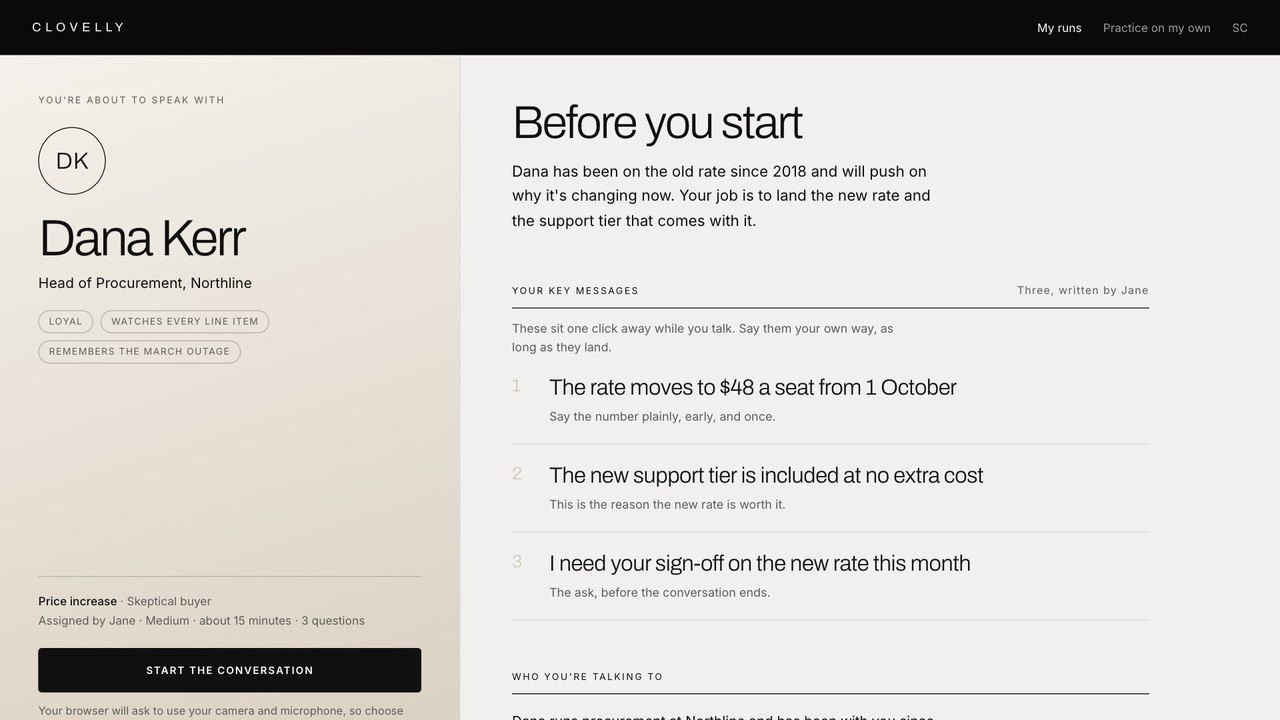
Price increase with Dana
Dana runs procurement at Northline and has been on the old rate since 2018.
Start a free session1. Choose your scenario
2. Coach input
Tell Clovelly who they are talking to and how that person tends to behave.
Dana runs procurement at Northline and has been with us since 2018. She is loyal but watches every line item, and she will bring up the outage in March. Be firm on the new rate and keep her feeling looked after.
Write it the way you would brief a colleague, and Clovelly drafts the scenario, the questions and the key messages for you to check.
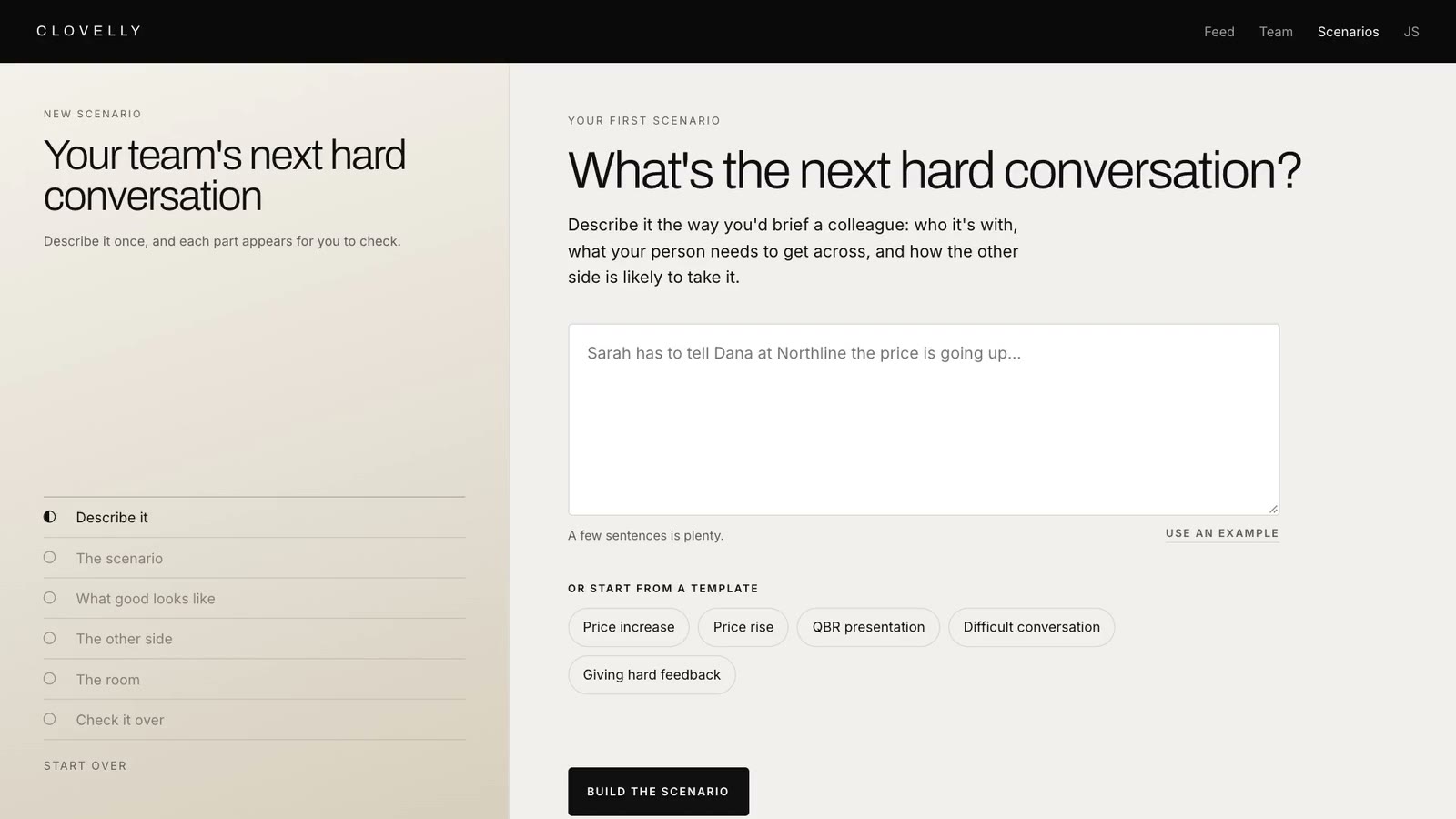

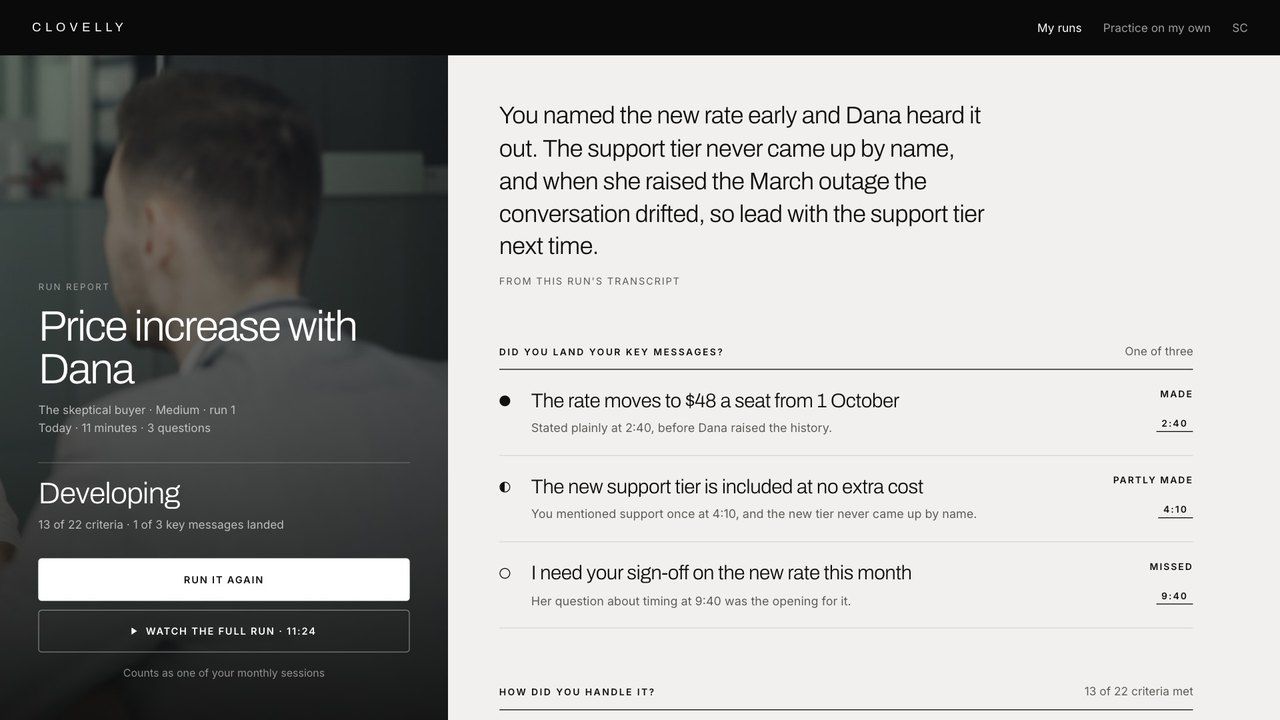
Write the brief in your own words, including who is on the other side and the messages that have to land. Your team member then has the conversation out loud with an AI counterpart who behaves the way you described, and when it ends the two of you open the same report showing where each key message landed and where the conversation drifted.
Clovelly comes with an MCP server, so you can set up a scenario, write the key messages and assign it to a team member from inside Claude, Microsoft Copilot or any other agent you already work in. Describe the meeting in plain English in the chat you have open and the run is waiting in your team member's queue with your brief attached. Included on the Team plan.
Works withClaudeMicrosoft CopilotChatGPTCursorAny MCP client
Sally has a renewal meeting next week with Harbor Logistics and I want her prepared. Design a scenario where their operations director has a cheaper quote from a rival and is ready to leave, and make the key message that we hold the current rate for another year if they renew for two.
Clovelly MCPScenario created and assigned to Sally
✱Done. Sally has a renewal at risk scenario in her Clovelly queue for next week. She will meet a Harbor Logistics operations director with a cheaper quote in hand, and the one key message is the two year renewal at the current rate.
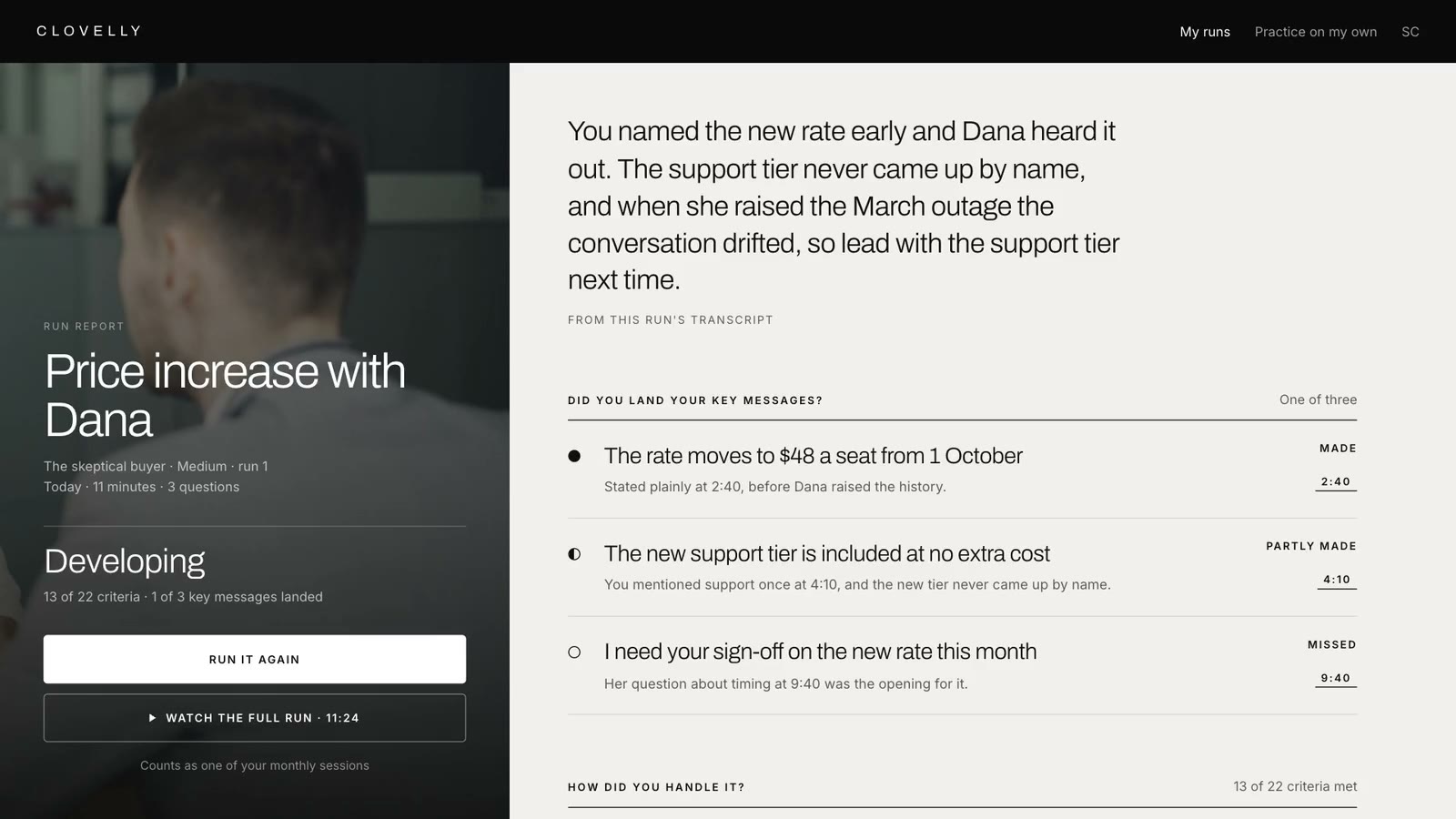
When the conversation ends, Clovelly writes up what happened in the order it happened. It marks the point where each key message was delivered, flags any message that was still waiting when the conversation ended, shows where the talk drifted off the brief, and lists what the counterpart pushed hardest on. You add a short coaching note at the end, and your team member sees it on their copy of the report.
Whichever team you run, you pick the scenario, write the brief in your own words, and let the counterpart play whoever is on the other side of the real meeting.
Sales teams use Clovelly to rehearse price increases, renewals at risk and discovery calls against a counterpart who has read the account history and argues the way a buyer argues.
Explore sales scenarios
Support teams use Clovelly to take the refund that has become a complaint, the customer who wants to cancel, and the fault that is still open after two callbacks, with a counterpart who starts the conversation already annoyed and only settles when the right thing is said.
Explore customer service scenarios
Team leads write the brief for the calls that go wrong most often, an escalation, a retention call, a billing dispute, and every agent on the floor works through them out loud with a counterpart who behaves the way that caller behaves, before they take the live queue.
Explore call center scenarios
Anyone who has to say no to a client, present an unpopular change or hold a line under pressure can practice the exact words out loud before the meeting where they matter.
Explore communication scenarios
A new manager can have their first difficult feedback conversation, first underperformance talk and first QBR here, then do it again with your notes before the real one.
Explore manager scenariosThe first teams in get three seats at no cost, with every scenario and the full report included, for as long as the plan is useful to them. A bigger team moves to Team at USD 15 a person each month, for everyone on it, and you can start today.

Darren Winterford built EdApp, the Australian online learning startup that went on to partner with the United Nations to provide free education to millions of learners around the world.
 United Nations partner through Educate All
EdApp is a mobile-first learning management system that currently offers 50,000 virtual lessons.
 June 2020
The United Nations Institute for Training and Research has partnered with microlearning platform provider EdApp to launch Educate All, a global learning initiative to increase access to free, high-quality education.
 April 2020
There are more tech tools, such as EdApp, Udemy and SkillShare, than ever before available to workers who want to improve (both hard and soft) skills.
 May 2020



Sign up with your work email, Google or Microsoft. Write the conversation your team needs to practice in your own words, and assign it to someone the same day.